Quantexa Search
Quantexa is an AI-powered data analytics SaaS platform primarily used within the financial crime sector, by clients including HMRC and the Metropolitan Police.
I led the redesign of Entity Search, which uses Quantexa's proprietary AI Entity Resolution technology, working closely with Business Stakeholders, a Product Owner and the Data Science Engineering team.
Impact
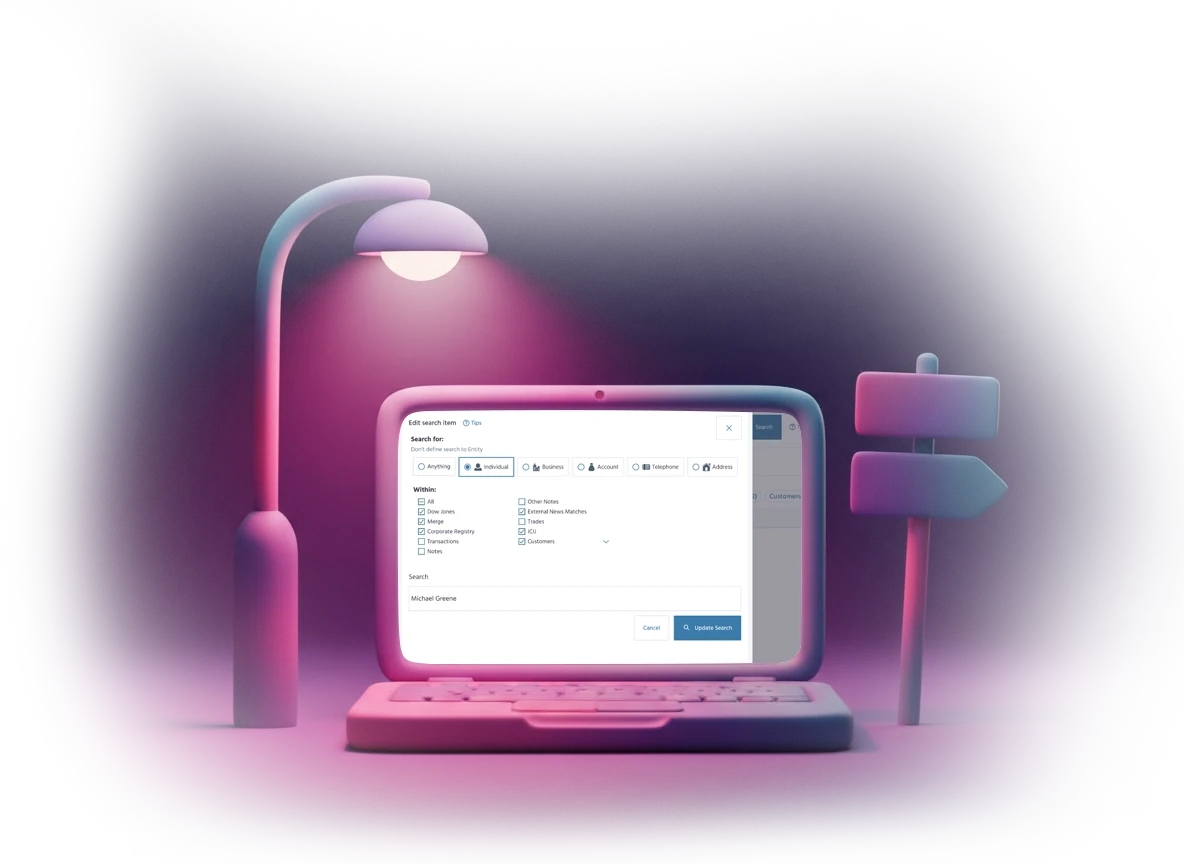
Optimised Entity Search
Officially known as Search 2 and released in 2023
Problems
Poor UX impacting customer satisfaction
Quantexa's Entity Search is the primary entry point for users carrying out investigations across Customer Intelligence, Risk Management, Fraud Prevention and Anti-Money Laundering.
Despite the sophistication of Quantexa's proprietary AI Entity Resolution technology, the search experience was consistently receiving negative feedback during user focus groups. As the primary entry point to the platform, Search played an important role in shaping users' perception of the product.
Key themes from focus groups
I partnered with Product Owner Sam Carr-Archer to run focus groups with Financial Crime Investigators from organisations including the Cabinet Office, HSBC, Standard Chartered, Royal Bank of Canada and Barclays to uncover the following key themes:
Untrustworthy results
Users struggled to trust that the algorithm was returning the most relevant results in the right order.
Lost work
Pinned results disappeared when users refreshed the page, creating frustration and lost work.
Cognitive overload
Users found it difficult to scan the interface and quickly locate the information they needed.
Poor visual usability
The visual experience felt dated and didn't reflect the sophistication of the platform.
The search experience before we started:

Objectives
Increase trust and satisfaction of the search function
The PO and I worked with a dedicated Search team of five Data Science Engineers to rethink the Entity Search experience.
My responsibility was to understand the needs of specialist users, define a clearer and more intuitive search experience, and work closely with engineering to translate the design direction into a feasible solution.
Key objectives
Improve the usability and perception of the platform.
Help investigators create more effective searches and trust the results.
Reduce cognitive overload and make important information easier to scan.
Establish reusable components and patterns that could benefit other areas of the platform.
Ideation
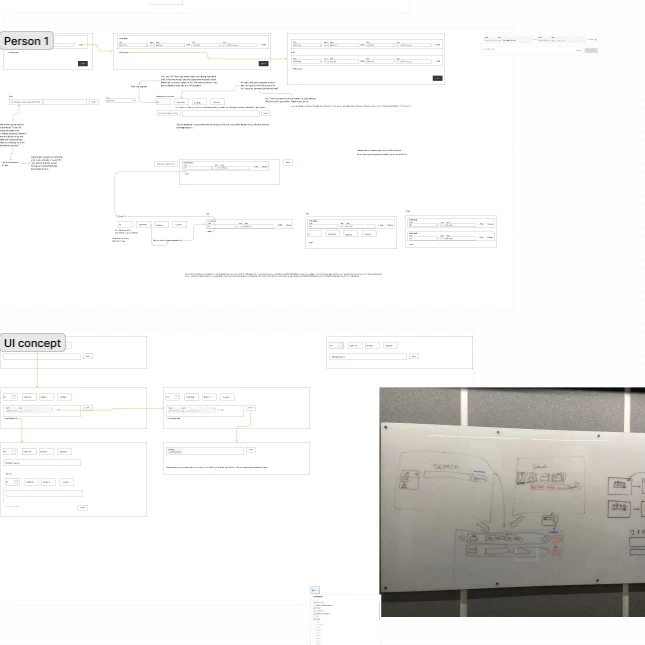
Collaborating with data scientists and end users

Proposed solutions
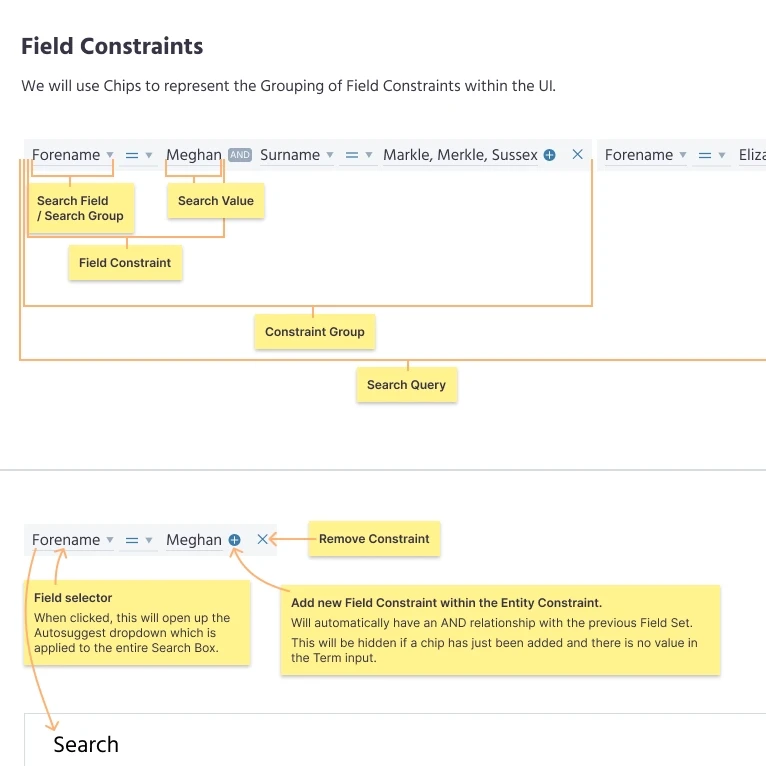
Optimised constraint based search queries
Through the focus groups, I identified that users didn't fully understand the available search constraints and often defaulted to text-based searches. The Data Science Engineering team explained that using these constraints could improve the quality and relevance of search results.
I saw an opportunity to address both challenges by making constraint-based search easier to understand and use, helping investigators build more effective queries and place greater trust in the results.
The Product Owner and I presented the research findings, design strategy and prototypes to senior stakeholders, including the Head of R&D and CTO. The direction was well received with some minor UX refinements that were applied with co-creation sessions with the CTO and one week design sprints off the back of these sessions, until the direction was fully approved.
Entity type query blocks
I explored combining free-text input with structured entity-type and constraint fields, allowing investigators to retain flexibility while making the parameters of their search more visible.
Optimise pinned list feature
I explored improvements to the pinned results experience, including preserving saved results if the connection was lost and using micro-interactions to provide clearer feedback.
Help users get the best out of the platform
Research revealed that users lacked a reliable place to refer back to after their initial software training. I designed a Search Tips page and worked with the UI team to structure it as a global template for Help content across the platform.

Refinement
Incremental releases and system-wide opportunities
I worked with the Product Owner and Engineering team to break the approved designs into incremental development tasks.
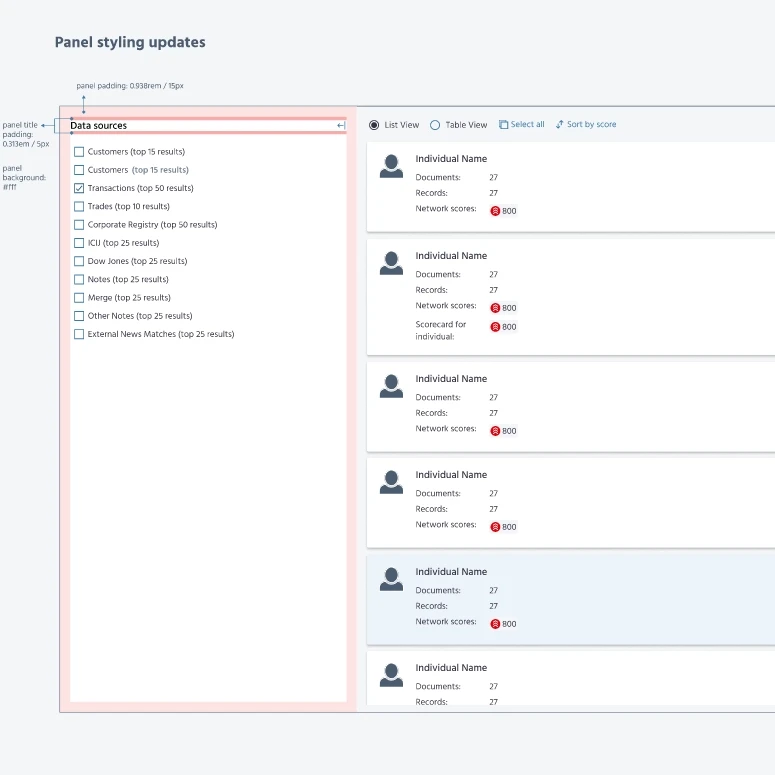
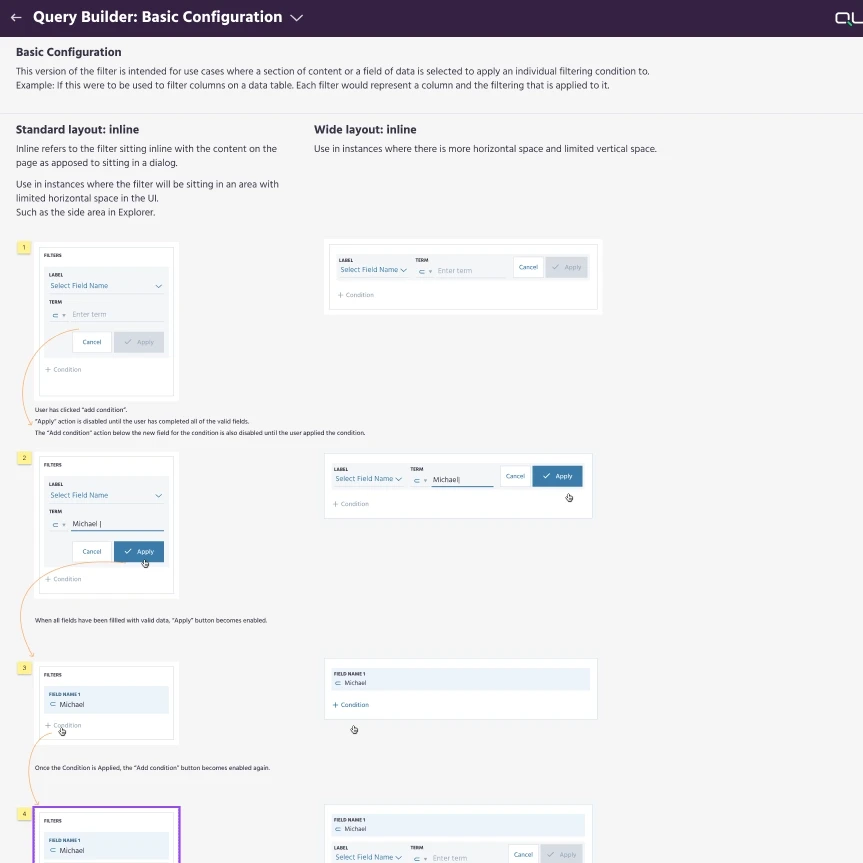
As the work progressed, I looked beyond the Search experience itself and identified opportunities to establish reusable patterns across Quantexa.
Outcome
Search 2 published in 2023
When I left Quantexa in 2022, the Search 2 experience had been fully signed off, with the global Panel component and styling updates already being published and the Query Builder in production development.
The redesigned Search experience was officially released and announced in 2023.
Reflection
What I'll take away from this project
Learn the software and underlying technology before jumping into solutions
The project reinforced the importance of designing alongside technical specialists when working with complex, data-heavy products. Understanding the underlying data structures and constraints was just as important as understanding the users' workflows.
Developing a close relationship with end users is imperative for specialist software
Co-creating and having regular check-in sessions with the end users of the software helped us move beyond surface-level usability improvements and make more informed decisions about how the search experience should work.
Bring awareness to existing features before investing in building something new
My biggest takeaway was that improving a complex product isn't always about simplifying its capabilities. It's about making those capabilities more understandable, accessible and useful to the people who rely on them.